

Download free Word resume templates in editable .docx format and choose a design that gives your experience enough space. Below, you’ll find three original layouts: a simple resume, a professional resume and a modern resume. Each includes example wording you can replace with your own details.
Start with the previews, download your preferred file and open it in Microsoft Word. Keep the editable document for future applications, then submit the file type the employer requests. These are resume documents, so you can edit them without using an online resume builder.
Download 3 free resume templates for Word
Choose the layout you would find easiest to update. All three use ordinary editable text, with contact details in the document body and no photograph, text boxes or layout tables. The previews show the supplied examples, not a finished resume to submit unchanged.
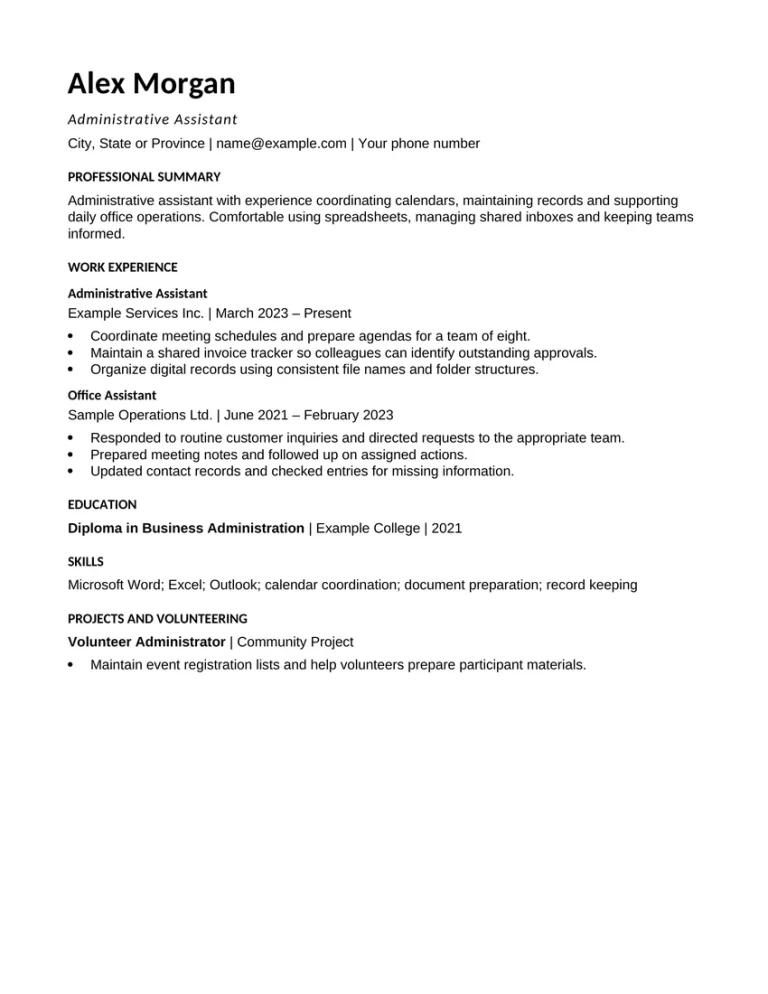
01 · SIMPLE
Simple Word resume template
This straightforward layout uses Arial, left-aligned contact information and familiar section headings. It gives work experience most of the page, with shorter sections for education, skills and relevant projects.
Choose it if you want a basic resume template for administrative, support or operations roles. You can change the example job titles and move sections without working around decorative elements.
- Layout: one column, left-aligned heading.
- Example: administrative assistant.
- File: editable .docx; one-page sample.
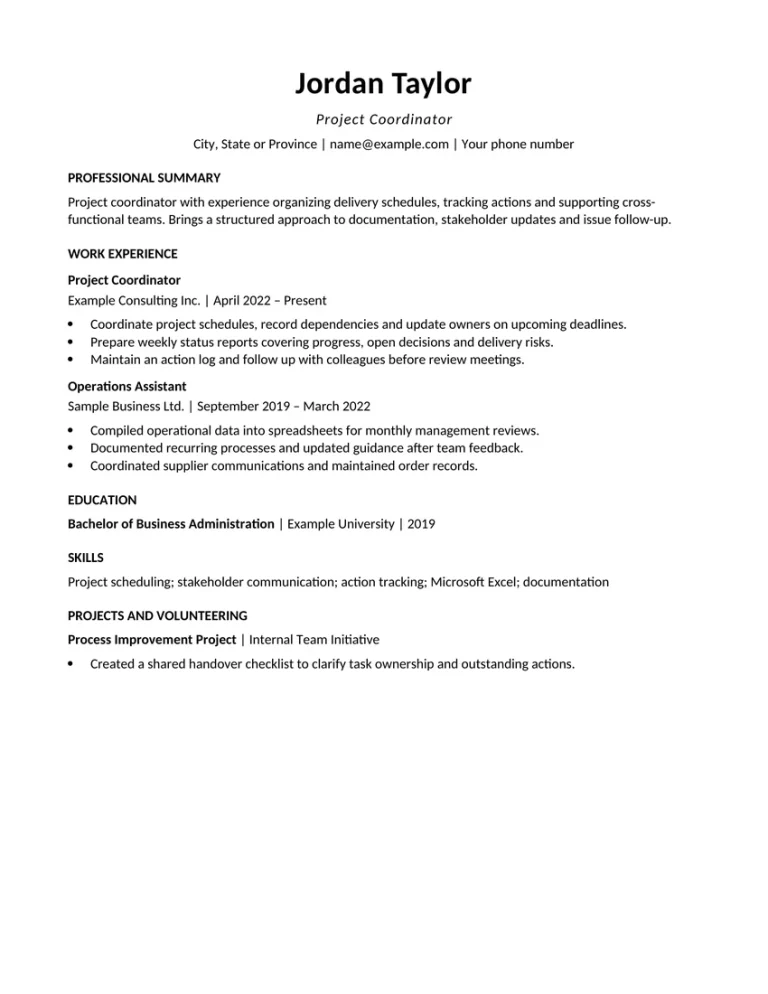
02 · PROFESSIONAL
Professional resume template for Microsoft Word
A centered name and contact line give this design a more formal opening. The body stays left-aligned, so job titles, dates and achievements are easy to scan. The sample shows how a project coordinator can organize two recent roles.
Use this professional Word resume template when your work history should lead the application. If you have several relevant positions, extend the experience section to a second page and keep the same heading styles.
- Layout: centered heading, single-column body.
- Example: project coordinator.
- File: editable .docx; one-page sample.
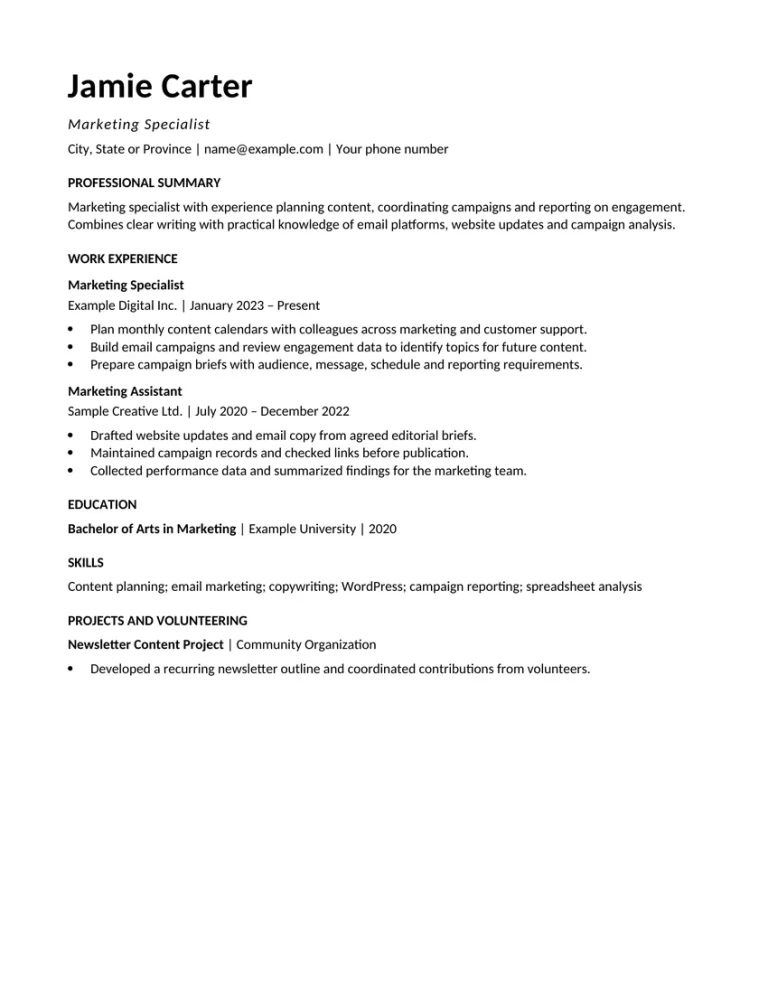
03 · MODERN
Modern Word resume template
This design uses a larger name heading and a clean Calibri typeface. Its modern appearance comes from typography and spacing, while the document keeps a simple reading order.
The marketing example includes campaign responsibilities, skills and a community project. Replace those details with evidence from your own work. Add a relevant portfolio link to the contact area if it helps demonstrate what you can do.
- Layout: larger heading, clean single column.
- Example: marketing specialist.
- File: editable .docx; one-page sample.
All names, employers and career details in the examples are fictional. Replace them before applying. The files use standard Word text and paragraph styles; page breaks can vary with your software and fonts.
Which Word resume template should you choose?
Choose a template after identifying the information you need to include. A good starting layout gives your strongest evidence room to breathe and remains easy to update when you change jobs or target a different role.
| Your priority | Start with | What to adapt |
|---|---|---|
| A straightforward document | Simple | Keep recent experience prominent and remove unused sections. |
| A formal presentation | Professional | Expand the most relevant roles and shorten older positions. |
| A contemporary appearance | Modern | Add a relevant portfolio link and specific examples of your work. |
For a first job, you can move education and relevant projects above work experience. For a longer career, add space for recent achievements instead of shrinking the font to fit everything onto one page. These changes matter more than choosing a template based only on its label.
Download free resume cv templates in English 2026
How to edit a resume template in Microsoft Word
Save a working copy before making changes. A clear filename such as Alex-Morgan-Resume.docx makes it easier to identify the document later.
- Replace the contact details. Add your name, location, phone number and professional email address. Include LinkedIn or a portfolio only when it is current and relevant.
- Rewrite the summary. Describe your actual role, useful experience and relevant strengths in a few concise lines. Remove any claim from the sample that does not apply to you.
- Update your work history. Add your real employers, dates and job titles, starting with the most recent role. Choose examples that relate to the vacancy.
- Make the bullet points specific. Explain what you did, how you did it and what changed. Include figures when you can verify them; a precise description is useful even without a percentage.
- Adjust the remaining sections. Add education, training, tools and projects that help the reader assess your fit. Delete the sample volunteering section if you have nothing relevant to include.
- Review the layout and save. Check dates, spelling, links and page breaks. Reopen the final document to make sure the saved version displays as expected.
“Updated customer records” could become “Reviewed weekly customer records in Excel, identified missing details and followed up with the account team.” Use this wording only if it accurately describes your work.
When pasting from another document, use Word’s paste option that keeps only the text, then apply the existing paragraph style. This helps avoid importing different fonts and spacing. If a job entry moves to the next page, shorten less relevant content or adjust paragraph spacing before reducing text size.
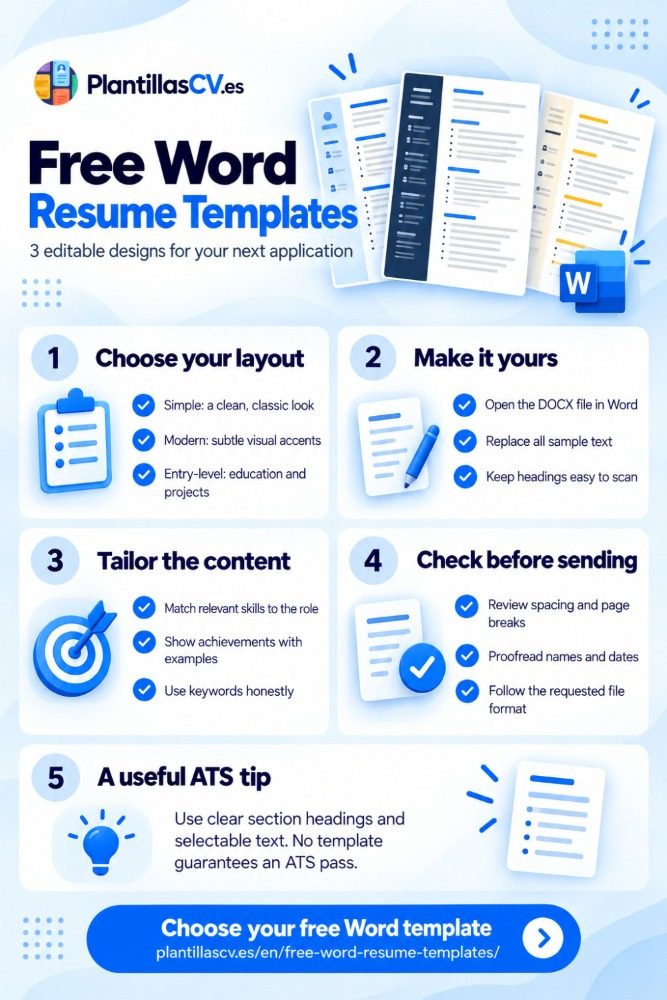
Are these Word resume templates ATS-friendly?
The files use a single column, standard section headings and selectable text. They avoid layout tables, text boxes and contact information stored in a page header. Those choices address several formatting issues described in Greenhouse’s documentation on unsuccessful resume parsing.
No template guarantees correct parsing by every applicant tracking system or an interview. These files have not been certified across ATS products. After uploading your finished resume, check any fields the application form fills automatically and correct errors before submitting.
Keep relevant skills and qualifications in normal text. For example, write the software you use instead of showing your proficiency only through a graphic.
Should you send your resume as Word or PDF?
Follow the job posting or application portal’s file requirements. If the employer asks for a Word resume, send the .docx. If it asks for PDF, export a PDF from your edited document. When both formats are accepted, review the final file and keep the Word version for future changes.
A PDF can preserve the appearance of your resume when shared, but it still needs readable text. Export the document instead of sending a screenshot or scanned page. In Word for the web, Microsoft describes the export route as File → Export → Download as PDF; desktop menus may differ.
Open the exported file, check that nothing has moved or been cut off, and confirm that you can select the text. Microsoft’s PDF export instructions explain the web workflow.
Using these templates for jobs in different countries
The examples use English and US Letter pages. Adjust spelling, terminology and page size to suit the application. If you change to A4, inspect every page again because line wrapping and page breaks can change.
The templates have no photo or fields for age and marital status. Canada’s Job Bank resume guidance recommends leaving out a photograph and unnecessary personal details. For applications elsewhere, follow the employer’s instructions and the expectations of that market. An English template alone does not determine which language the employer expects.
Free Word resume templates: common questions
Are the Word resume downloads free?
Yes. The three PlantillasCV files on this page are free .docx downloads, with no registration required. Editing the template does not require a paid resume-builder export. Microsoft Word is separate software, so access to its desktop application depends on your own license or subscription.
Does Microsoft Word have its own free resume templates?
Yes. Microsoft provides a resume template collection. In Word for Windows, you can also go to File → New and search for “resume.” Choose a design and replace the example content. Microsoft’s online editing flow may ask you to sign in.
Can I use a Word resume template in Google Docs or LibreOffice?
You can edit a .docx in Google Docs or open it in LibreOffice Writer. Check fonts, spacing and page breaks after opening and after saving; the appearance may differ from Word. Keep the original download so you can start again if conversion changes the formatting.
Can I make a two-page resume with these templates?
Yes. The supplied examples fit on one page, but the documents are editable and can continue onto another page. Add a second page when relevant experience needs the space, keep the same styles and check that headings stay with the content they introduce.
Are these blank resume templates?
They contain fictional examples to show how each layout works. You can replace that text directly or remove it before writing. This collection focuses on comparing Word designs; the examples are not statements to copy into your application without checking them. Download blank resume templates to fill in and download.
Choose your Word resume layout
Compare the previews and select the document you want to work with. Then replace the sample content with your experience and check the final file against the job requirements.
Back to the free resume templates, guides & tools