

Download free resume templates in English and choose a layout that puts your most relevant qualifications first. This collection includes three original visual models: a teal layout for an established work history, a rose layout for a first application and a mint layout for a career change. Each has an editable Word file and a PDF example so you can inspect the design before making changes.
Compare the previews below, then replace the sample content with your own details. All three downloads are free and require no registration. The PDF files are completed examples; use the DOCX version to write and update your resume.
Free resume templates to download
These designs combine English section headings with editable text, color blocks and deliberate spacing. The teal and rose models use a sidebar and an optional round image with initials. The mint model has a white background, a pale green name band and editable skill bars. Compare the actual previews before choosing a download.
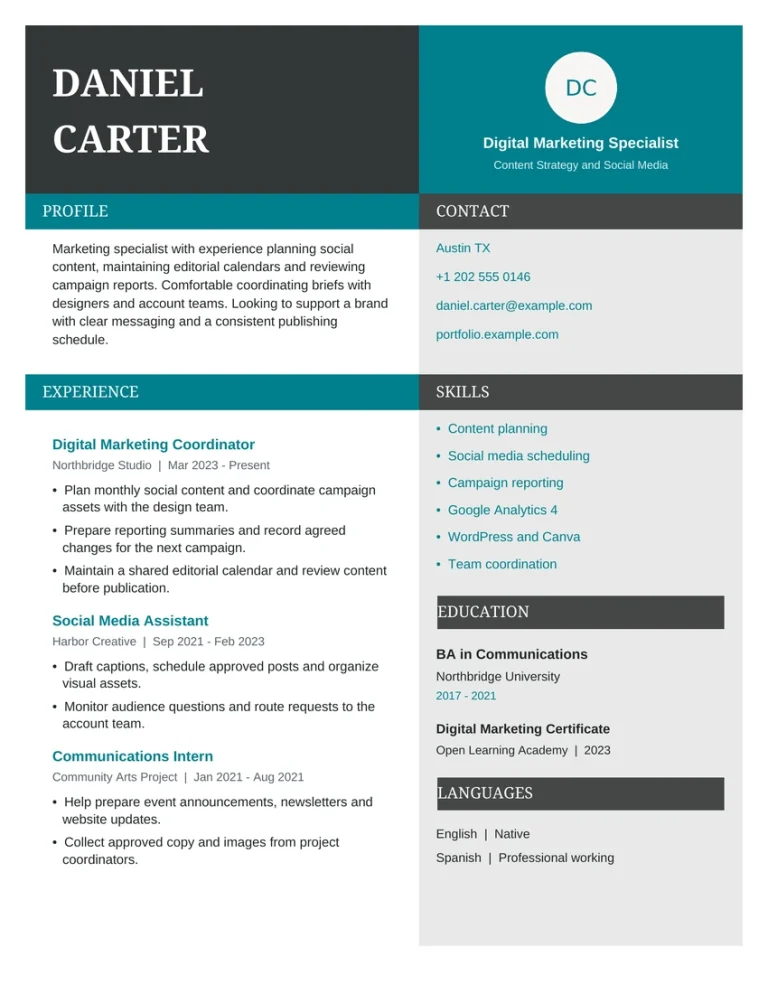
01 · TEAL · EXPERIENCE FIRST
Teal professional resume template for experienced applicants
Start with this model when relevant employment gives the clearest evidence for the vacancy. The main column contains a profile and dated work experience. A gray sidebar groups contact information, skills, education and languages.
The fictional marketing example shows three roles with responsibilities and contributions. Turquoise section bars separate the main blocks, while a charcoal name panel gives the page a distinctive opening. Keep the initials in the optional circle, replace the image or remove it.
- Best starting point: relevant paid experience.
- Main sections: summary, work experience, skills, education.
- Included: editable DOCX and PDF example.
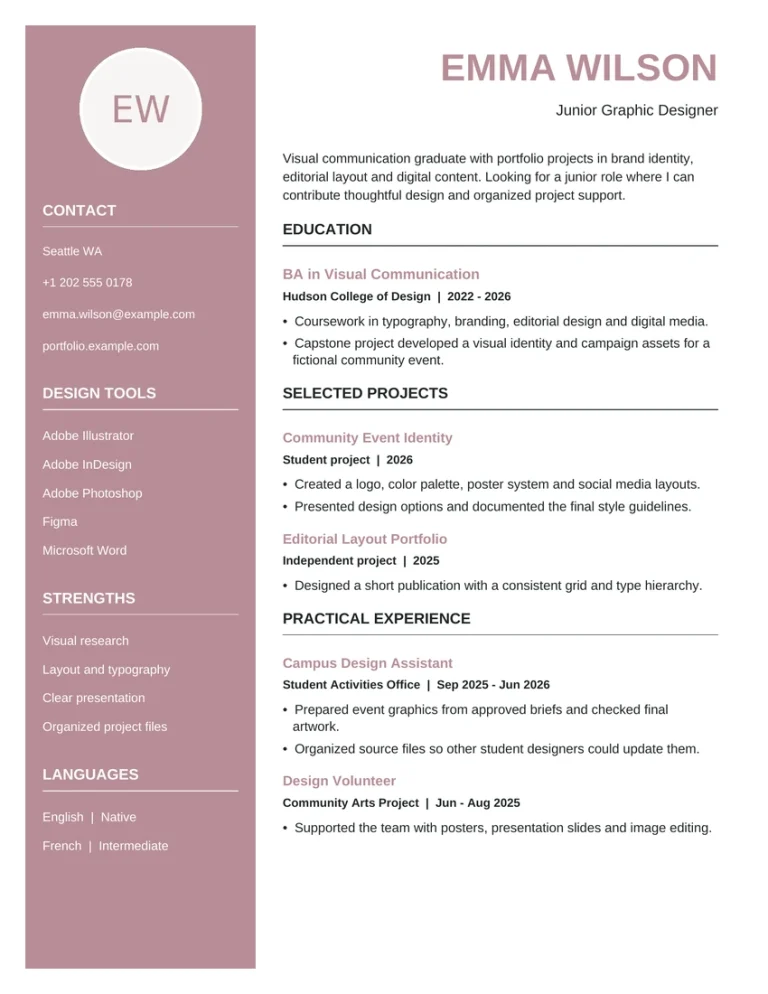
02 · ROSE · EDUCATION FIRST
Rose entry-level resume template for a first application
Use this structure when education and projects provide your strongest examples. The main column places a short profile and education before selected projects and practical experience. The rose sidebar holds contact details, design tools, strengths and languages.
The fictional graphic design graduate includes coursework, portfolio projects and campus design work. Replace the degree with your own studies or relevant training, and include paid or voluntary experience that helps explain your readiness for the role.
- Best starting point: limited relevant employment.
- Main sections: profile, education, projects, practical experience and sidebar skills.
- Included: editable DOCX and PDF example.
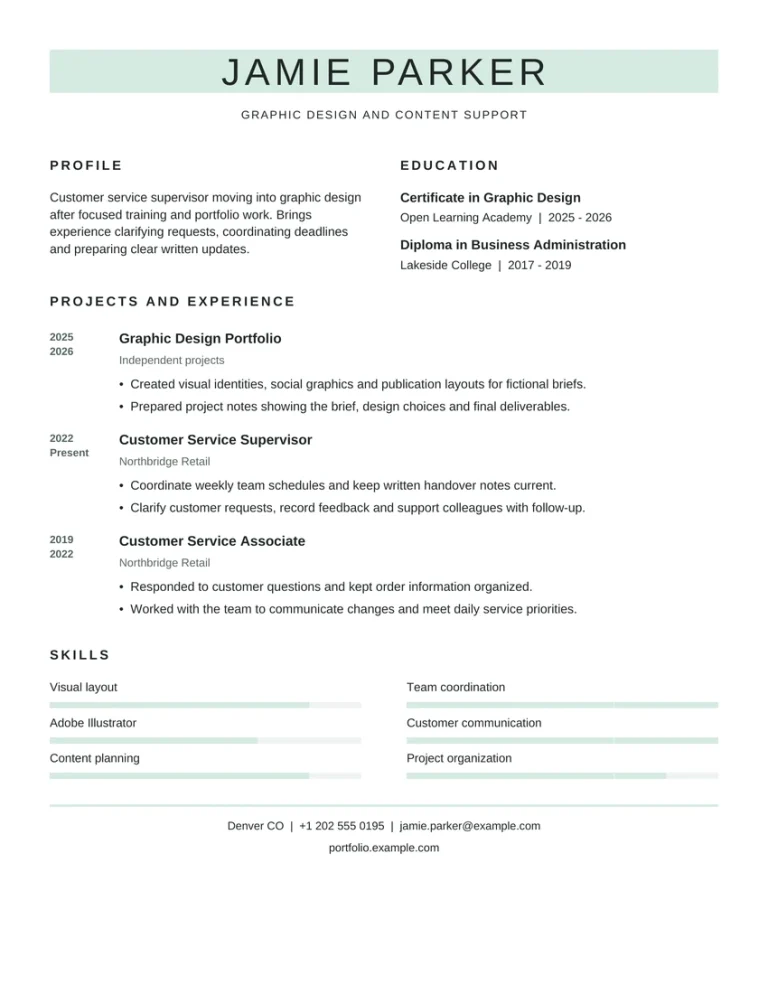
03 · MINT · CAREER CHANGE
Minimalist mint resume template for a career change
This model pairs a profile and education across the top, then presents relevant projects and a dated work history. The fictional example connects customer service supervision with a move into graphic design through portfolio work, training and transferable skills.
A pale mint name band, spaced headings and skill bars create the visual style. The skill labels remain editable text. Adjust or remove the example bars so they reflect your own background, and keep actual job titles and employment dates visible.
- Best starting point: experience from a different field.
- Main sections: profile, education, projects, work experience and skills.
- Included: editable DOCX and PDF example.
The names, employers and career details in these examples are fictional. Each supplied example fits on one US Letter page. Replace the example content before applying and check pagination after editing. You may adapt the files for your own applications; do not resell or redistribute the original templates.
Which free resume template fits your experience?
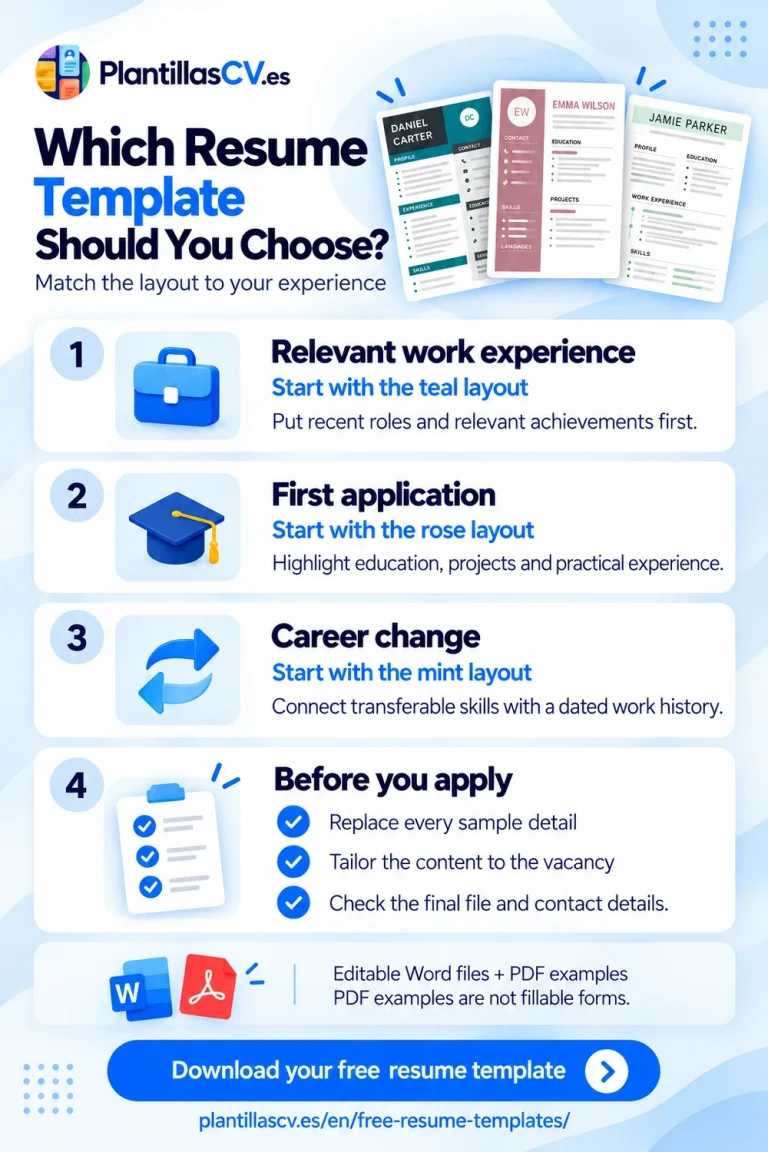
List the evidence you want the employer to see first: recent achievements, a relevant qualification, a completed project or skills developed in another job. Choose the layout that gives that information a clear position.
| Your situation | Start with | What to emphasize |
|---|---|---|
| You have relevant work experience | Experience-first | Recent roles and contributions related to the vacancy. |
| You are preparing a first application | Education-first | Relevant studies, projects, volunteering and practical skills. |
| You are changing career direction | Career-change | Transferable skills supported by a clear work history. |
You can edit section text, headings and colors in Word. Because the sidebars and columns use layout tables, save a working copy and check the page after moving or removing a block. For example, a student with a relevant internship may put that experience above education. A career changer with recent work in the target field may prefer the experience-first model.
For more detail on structure, CareerOneStop’s resume-format guidance explains chronological and combination approaches. A combination format includes a skills-focused opening while retaining employment details.
What do the Word and PDF downloads include?
The Word file is your editable starting document. Open it in your preferred compatible editor, save a working copy and replace the sample text. You can adjust section order, spacing and headings as your content develops. Software access is separate from the free template download.
The PDF is a printable example of the supplied design. It lets you view the original layout without opening Word. These PDFs have selectable text, but they have no interactive form fields. They are not fillable PDF resume templates.
When your resume is complete, follow the employer’s requested file type. Keep your editable copy for future applications. If you export a PDF, reopen it and check every page before sending it.
How to personalize your resume template
- Set the target role. Read the vacancy and identify the qualifications, tasks and tools that match your background.
- Replace all sample details. Update contact information, employers, dates, education and projects. Remove sections you will not use.
- Write specific evidence. Describe what you handled, the tools or methods you used and the outcome where you can verify it.
- Adjust the section order. Place the most useful evidence near the top and shorten less relevant information.
- Check the final file. Review spelling, contact details, links, spacing and page breaks. Confirm that the application portal accepts the chosen format.
A customer service supervisor applying for a design support role could describe “Clarified customer requests, recorded feedback and prepared written handover notes for the team.” This gives a concrete example of communication and organized follow-up. Use it only if it accurately reflects your work.
Add figures when they are meaningful and accurate. You might specify the team size, number of regular requests or frequency of a report. If you cannot verify a number, describe the task precisely. Blank resume templates to fill in and download.
Using a template for online applications
These are visual layouts with sidebars, layout tables and decorative elements. Use them when a designed document suits the employer and submission method. Keep essential skills written as text, even when a design includes bars or an optional image.
Greenhouse’s parsing guidance identifies graphics, column layouts and contact details in headers or text boxes among possible causes of reading errors. The designs in this collection include some of those elements and have not been certified across ATS products. For an application portal that needs a simpler reading order, consider a plain layout with one column.
No resume template guarantees an ATS pass or an interview. After uploading your finished file, review any automatically populated fields and correct mistakes before submitting. Your qualifications and the relevance of your content still matter.
Adapting an English resume for another country
The examples use US spelling and US Letter pages. Adjust terminology, spelling and page size to the application. Changing to A4 can alter line breaks, so inspect the saved document again.
The teal and rose files include an optional round image with initials; none of the files includes a portrait or fields for age and marital status. Replace or remove the round image according to the application. Canada’s Job Bank recommends omitting a photograph and unnecessary personal details. For other destinations, check the employer’s requirements. An English file is useful only when English is an accepted application language.
Free resume templates: common questions
Are these resume templates really free?
Yes. You can download the three DOCX files and their PDF examples without paying or creating an account. There is no resume-builder payment step to unlock the files. Any software subscription you choose is separate.
Can I edit the templates in Google Docs or LibreOffice?
You can open the DOCX files in editors that support that format. Check fonts, spacing and page breaks after opening and saving because different applications may display the document differently. Keep the original download as a backup.
Are the PDF resume templates fillable?
No. They are PDF examples showing the original layout. Edit the Word version, then export your completed resume if the employer requests PDF. The downloads on this page do not contain PDF form fields.
Which template should I use if I have no work experience?
Start with the education-first model. Replace the student example with your own studies, projects, volunteering or relevant training. Include part-time work when it demonstrates useful skills.
Does my resume have to fit on one page?
The supplied designs fit on one page. If your content needs more space, shorten less relevant details or adapt the structure for a readable second page. Check the final layout after editing rather than shrinking all of the text.
Choose your resume and start editing
Select the structure that gives your strongest evidence a clear place. Download the editable file, replace the examples and review the finished document against the vacancy.